
Add Error-Handling Strategy
In this step, you will:
- Learn about error-handling strategies
- Update & deploy an existing trigger to include an error-handing strategy
In the Getting Started, the deployed code produced an error:
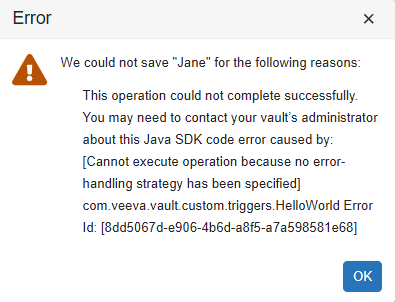
To fix this error, you must add an error-handling strategy. While error handling strategies are recommended for all SDK code, error-handling is required when saving records in Vault Java SDK. The current code in the AFTER_INSERT event creates a new record, which triggers a record save.
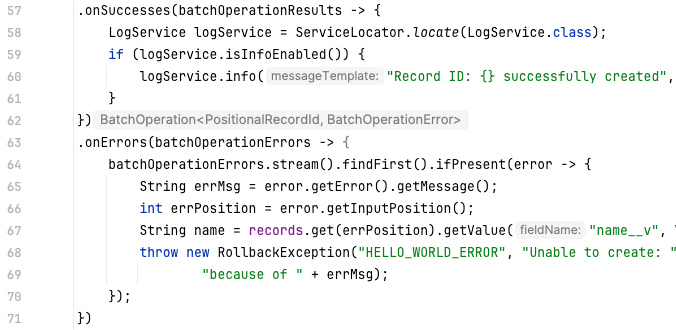
Our error-handling strategy will cover the following:
- If there are no errors (
.onSuccesses), write a message to the Debug or Runtime logs - If there is an error (
.onErrors), throw aRollbackExceptionand roll back the transaction
We’ve already written this code for you in the Hello World project, so all you need to do is remove the code comments.
To add the error-handing strategy to our existing trigger:
- In IntelliJ®, open the
HelloWorldJava file. - Remove the code comments from line 57 - 71.
Continued Learning
Section link for Continued Learning- Learn more about the Debug Log, which captures custom Vault Java SDK code execution details at a per-user level. This log is best-suited for errors encountered by a single user, and for troubleshooting during code development.
- Learn more about the Runtime Log, which captures custom Vault Java SDK code execution details at the Vault level. This log is always running, which can provide more reliable logging than the debug log, but understand that logging more than runtime exceptions may cause Vault performance degradation.