
Record Triggers
Record triggers are a Vault Java SDK entry point which executes custom business logic whenever a data operation makes changes to an object record. Users manipulate data in Veeva applications by using the UI or API to Insert, Update, and Delete records. When these operations occur, the Vault Java SDK provides interfaces to interact with the record data before and after the data operations. Using the Java SDK, users can apply custom business logic in event handlers for BEFORE and AFTER events.
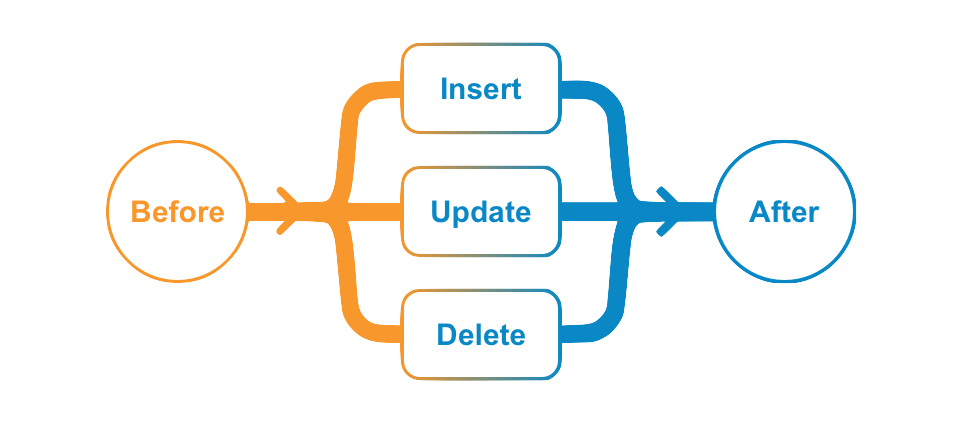
This event-driven programming model allows developers to write small programs that target a specific object and event to address common business requirements which standard application configurations cannot address.
Example Use Cases
Section link for Example Use CasesThe following are some typical uses for triggers by event type:
BEFORE
Section link for BEFOREField Value Defaults: Default field values before creating a record.
- Concatenate default value from other fields in the same object or other related objects (outbound relationships).
- Calculate default value based on a business rule, particularly on Date and Number fields.
- Calculate default value by performing summary operations on all related records (rollup using inbound relationships).
Field Value Validations: Validate field values before saving or deleting a record.
- Validate field value based on calculation (e.g. a date field value must be after today).
- Validate field value based on values in other fields in the same object or in related objects.
Conditionally Required Fields: Make a field required by canceling the save operation if some condition is not met.
- Require field based on values in other fields in the same object or in related objects.
Create, Update, or Delete Related Records: Create, update, or delete other records after saving or deleting a record.
- Create or update related records by defaulting field values in the new related records.
- Update or delete related/child records after updating or deleting the referenced/parent record.
Start Workflow: Start a workflow after creating or updating a record.
- Start a workflow immediately after creating a new record.
- Start a workflow when field values meet a certain condition. For example, start a workflow after updating a date field with a value.
- Start a workflow on the referenced/parent object when all related/child records meet a certain condition.
- Start a workflow on specific related/child records when updating the referenced/parent record.
Change State: Change the lifecycle state of a record.
- Change state immediately on record creation.
- Change state when when field values meet a certain condition. For example, when a date field is updated with a value.
- Change state of the referenced/parent record when all related/child records meet a certain condition.
- Change state on specific related/child records when the referenced/parent record is updated.