
SDK Runtime Logs
The Runtime logs contain additional logging for Vault Java SDK transactions that is more consistent and reliable than the SDK Debug logs. The Runtime log is enabled per Vault and captures data in five-minute intervals. Learn more about the Runtime log in the Vault Java SDK documentation.
You can use the Vault Toolbox plugin to retrieve the Runtime log for a single day, up to 30 days in the past.
Downloading Runtime Logs
Section link for Downloading Runtime LogsTo download Runtime logs:
- Within IntelliJ IDEA, open the Vault Toolbox plugin from the righthand sidebar.
- Select the Actions (
) tab. - Expand Developer Logs (
) and double-click SDK Runtime ( ). 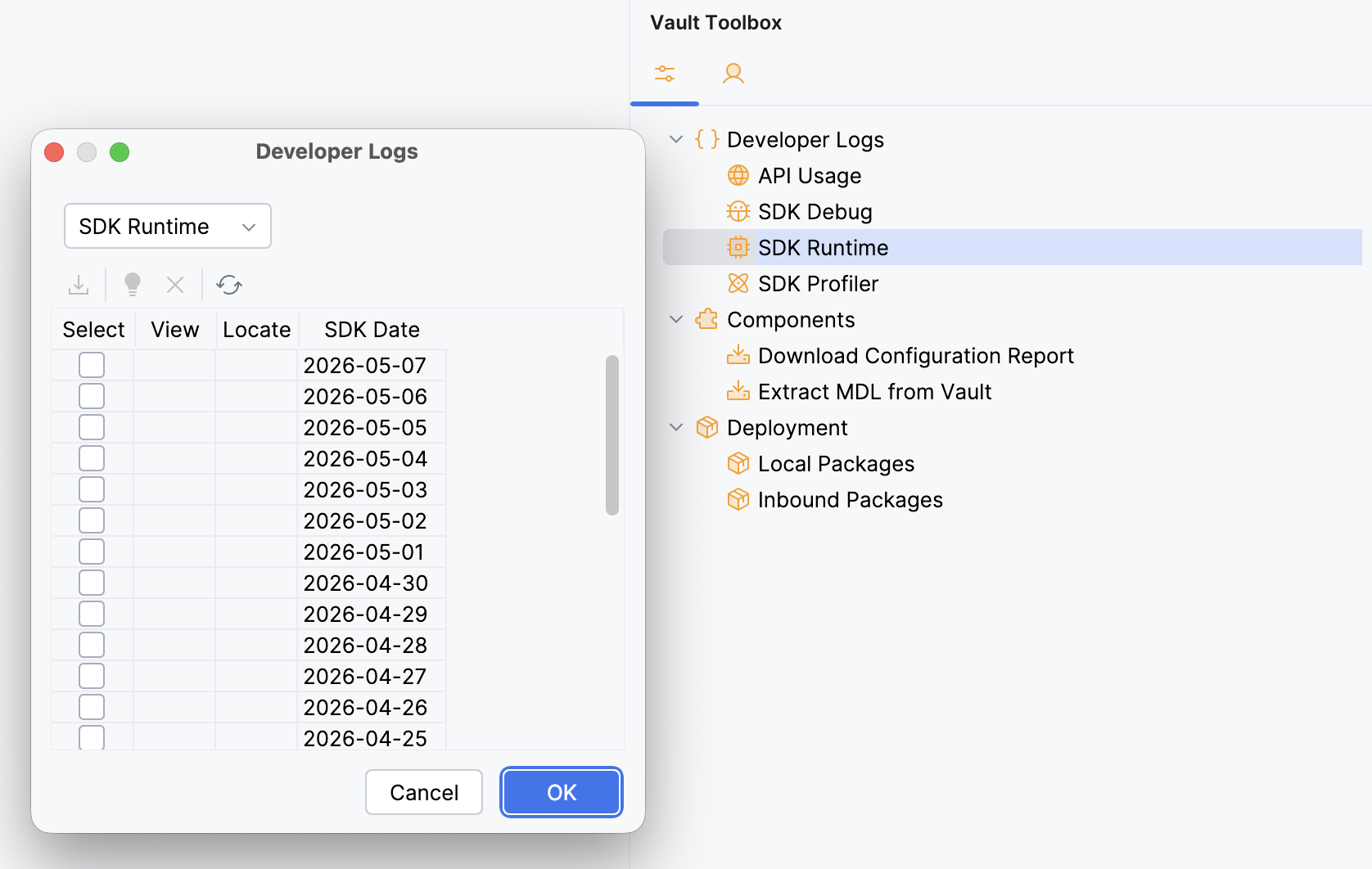
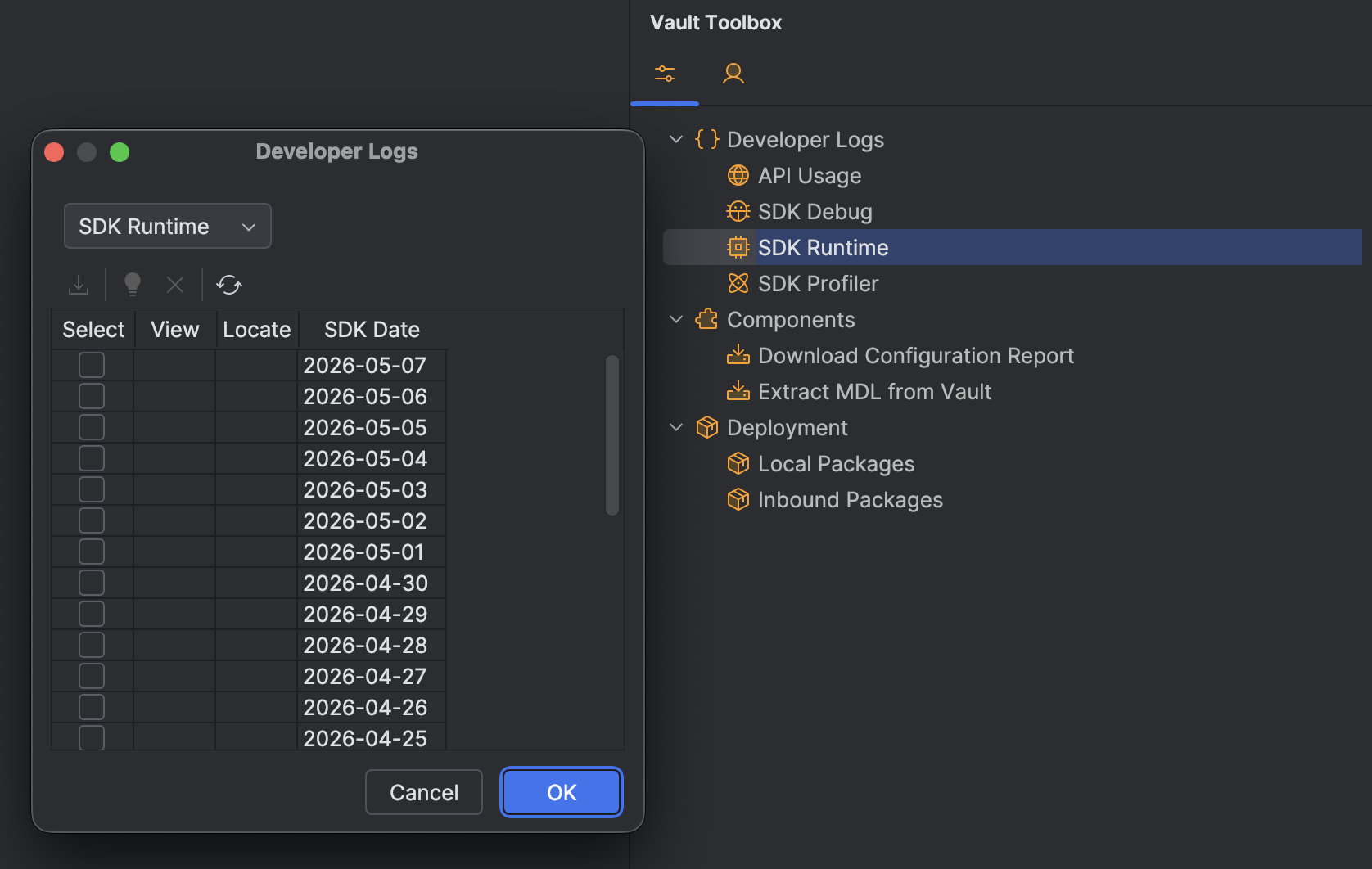
- In the dialog, select the checkbox for one or more runtime logs or click Select in the header to select all dates.
- Optional: Click
to refresh the list. - Click
or OK to download the selected logs. - Optional: After the logs have downloaded successfully, click
within the dialog to open the log in a File Viewer or to locate the folder within your project directory.
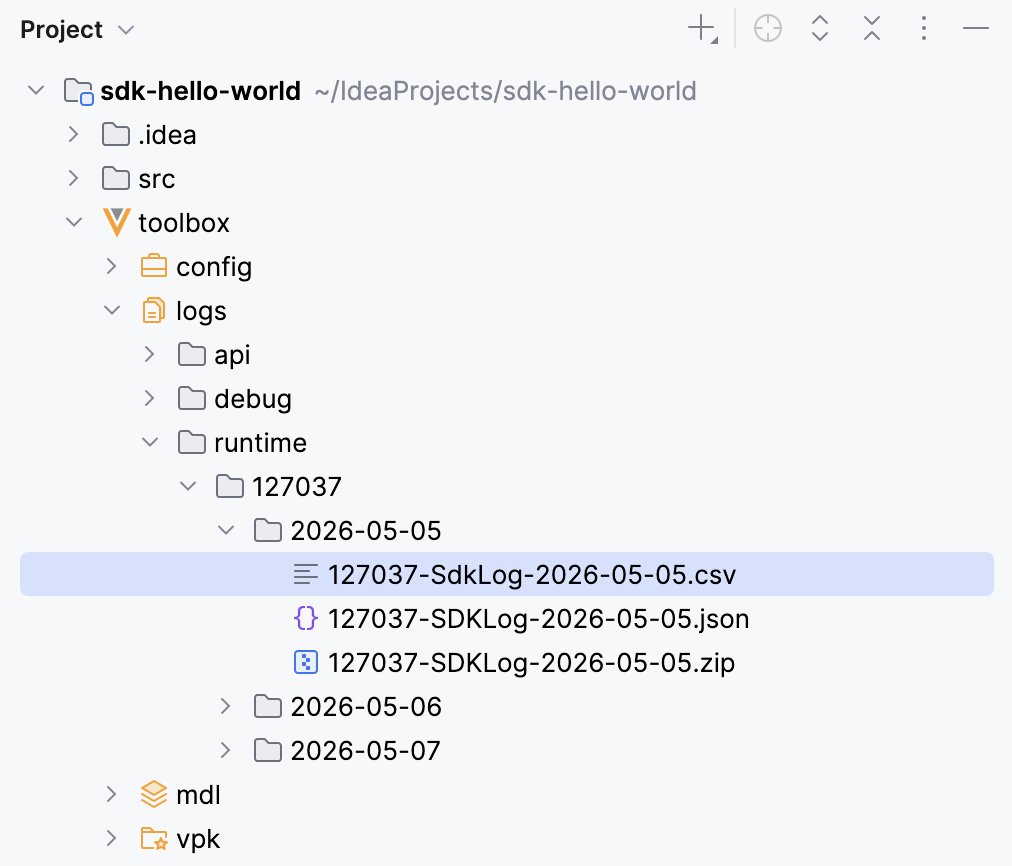
Vault Toolbox generates the Runtime logs for the specified dates. Once the operation is complete, you can access the downloaded Runtime logs from the toolbox/logs/runtime/{vaultid} folder in your project directory. The CSV file prepended with the Vault ID, a copy of which exists within the ZIP file, contains the Runtime log data for that day.
Importing Runtime Logs
Section link for Importing Runtime LogsYou can also load an existing Runtime log into the workspace without re-downloading it from Vault. This is useful when you have an archive from a previous Vault Toolbox download, an export from Vault, or a file shared by a colleague.
To import Runtime logs:
- Within IntelliJ IDEA, open the Vault Toolbox plugin from the righthand sidebar.
- Select the Actions (
) tab. - Expand Developer Logs (
) and double-click SDK Runtime ( ). - In the dialog toolbar, click
to open the file chooser. - Select a Vault log archive (
.zip) or a single log file (.csv,.log, or.txt). Each file in the archive must include a date inYYYY-MM-DDformat in its name, which Vault Toolbox uses to organize the imported files. - In the Import Log Archive dialog, confirm or update the Vault ID. The plugin auto-fills this field from any leading digits in the file name. Review the preview table to see the destination for each file and whether it will be created as a New file or Overwrite an existing file.
- Click OK to import.
Once the operation is complete, the imported logs are available under toolbox/logs/runtime/{vaultid}/{date} and the table refreshes to show them alongside any logs you have downloaded from Vault.