
Write Custom Code
In this step, you will:
- Write custom code that modifies the behavior of the sample record trigger
- Understand how to write code for different record events
With the development environment set up, you can now modify the HelloWorld trigger in your IDE.
Right now, the HelloWorld trigger has custom logic on the BEFORE_INSERT event.
In this step, you will add new custom code to trigger on the AFTER_INSERT event.
We’ve already written most of this code for you, so you can focus on the structural updates needed to add code for a new event on an existing trigger.
Unlike the BEFORE_INSERT event which triggers right before the record saves, the AFTER_INSERT event triggers immediately after the record saves.
When triggered, this new custom code creates a vsdk_hello_world_child__c record.
Add Custom Code for the AFTER_INSERT Event
Section link for Add Custom Code for the AFTER_INSERT Event- In IntelliJ®, navigate to your project’s home directory.
- Open the
HelloWorldJava file, which is located in\src\main\java\com\veeva\vault\custom\triggers. - Remove the multi-line comment (
/*) on lines 35 and 74. This will uncomment lines 35 through 51, which is code for custom logic on theAFTER_INSERTevent.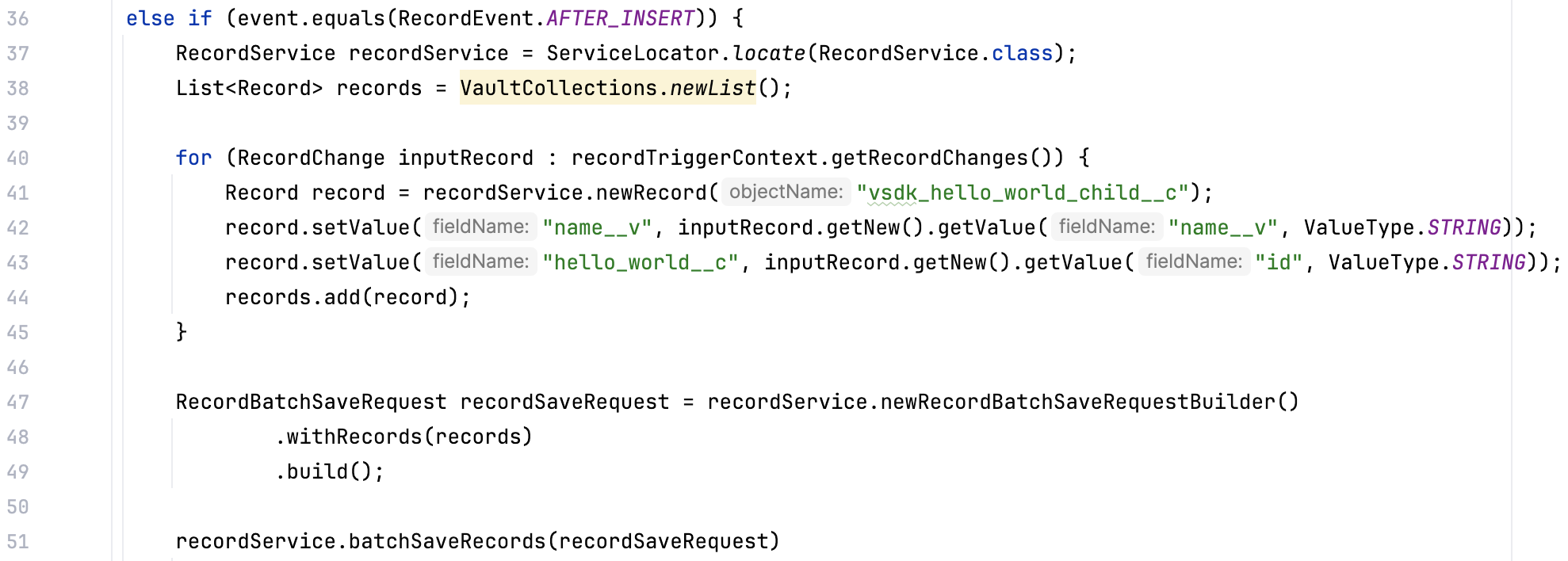
- Before this
AFTER_INSERTcode will run, you need to add this event to the record trigger annotation. You can do this by adding the event to the@RecordTriggerInfoannotation. In line 13, addRecordEvent.AFTER_INSERTto theeventparameter in the annotation:
You’ve just written your first piece of SDK code, custom logic for an AFTER_INSERT event! In the next step, you will deploy these changes to your Vault.
Continued Learning
Section link for Continued Learning- Learn more about the
@RecordTriggerInfoannotation and how this works together to build the anatomy of a record trigger - Learn more about the data availability of record trigger events, which can help you choose if you need your custom code to trigger on a
BEFORE_INSERTorAFTER_INSERTevent