
Authenticating to your Vault
Your Vault user account must have API access to send requests to the Vault API. Then, you can authenticate to your Vault and make calls to endpoints.
API users should authenticate to Vault API using an active API access token rather than initiating a session with a user name and password. Access token values always begin with veeva-vault- followed by a randomized string. For example, veeva-vault-B5A79AAD….
To generate an access token, grant yourself one via the Vault UI
The Authorization HTTP header for endpoints within the Vault Platform Postman Collection accepts the authorization_value variable saved in your Postman environment, which can contain either the value of your access token or a valid session ID.
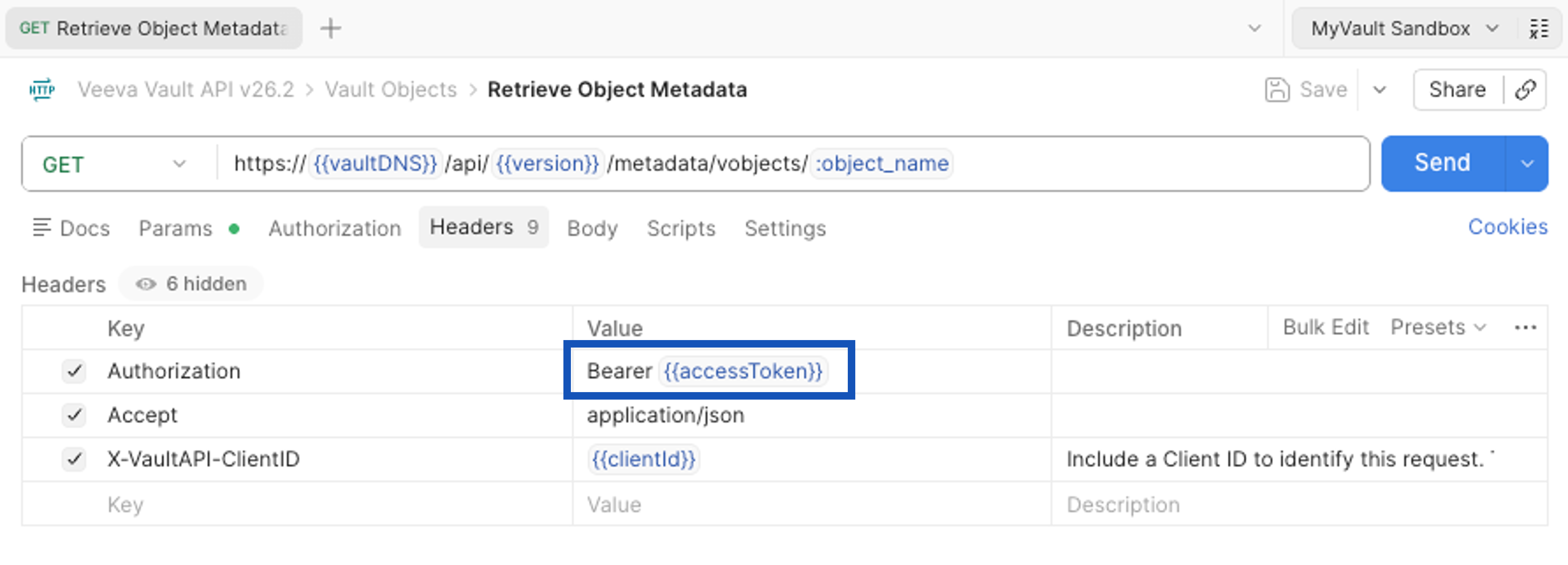
Now, you can proceed with setting up a Postman environment, which can store the value of your access token to use for subsequent calls to Vault API.