
Limits & Restrictions
While developing Vault extensions is essentially programming in Java, there are some limits and restrictions to ensure your code runs securely in Vault.
Limits
Section link for LimitsVault enforces limits at runtime to protect against excessive uses that may impact overall performance. Vault tracks custom code execution and terminates any code execution that reaches a limit. Vault then rolls back the transaction and presents a runtime error to the user to contact an Admin for assistance.
Vault does not enforce limits during debugging. However, Vault tracks and enforces service calls that execute on the server, such as QueryService and RecordService. If the service calls cause a limit violation error, the custom code will fail when you deploy them to Vault.
Time Limits
Section link for Time Limits- Maximum number of triggers to execute for a given object and Event is 10.
- Maximum nested trigger depth is 10 levels.
- Maximum execution time for a request is 100 seconds.
- Time in service call execution counts towards this limit. When this limit is reached, Vault rolls back the entire transaction.
- Maximum CPU execution time is 10 seconds.
- Maximum time for retries is 6 hours.
Time limits apply to an entire request, including all BEFORE, AFTER, nested triggers, and Action Triggers
Size Limits
Section link for Size Limits- Maximum array size is 500 elements. For example, doctype triggers can execute a maximum of 500 document version changes per entry point execution.
- Maximum number of items in a
VaultCollectionsList, Set, and Map items is 10,000. - Maximum number of source files deployed to a single Vault is 1,000.
- Maximum number of messages in a queue is 20,000.
If a transaction fails due to a size limit violation, you can find more information about the violation in the debug log.
Memory Limits
Section link for Memory LimitsMaximum memory allocated for a top-level Vault extension is 40MB. Nested extensions must work within this limit, but their execution amounts are deallocated upon completion.
For example:
- A user initiates a record action. This action has 40MB total, and uses 10MB.
- The record action indirectly initiates a record trigger. This trigger has 30MB to work with, and uses 5MB.
- The record trigger initiates a nested trigger. This nested trigger has 25MB, and uses 25MB.
- The nested trigger finishes execution. The original record trigger still has 25MB, because completed execution no longer counts towards this limit.
- The original record trigger finishes execution. The record action now has 30MB to work with, because the completed record trigger does not count towards this limit.
- The record action uses an additional 10MB before finishing. The total memory for this action is 20MB, with 20MB remaining.
Developers can help manage memory usage by creating a User-Defined Service. Return values and method parameters used by the service count toward the 40MB limit, but all other memory that is consumed inside the service will be freed when method execution is complete. Vault enforces a 400MB gross memory limit for the entire life of the transaction.
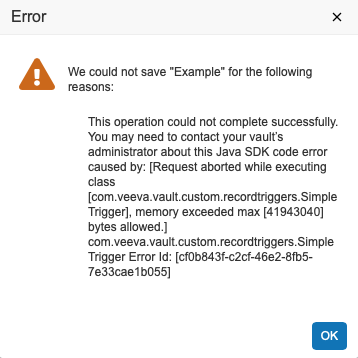
If any transaction fails due to memory limits, the entire extension fails. For example, if the nested trigger in step 3 used more than 25 MB, the entire transaction rolls back and the end-user will see an error message. Learn more about troubleshooting runtime errors.
Restrictions
Section link for RestrictionsVault checks restrictions when a user uploads code to prevent unsafe use of Java. Validation occurs when deploying the uploaded source code to Vault. If there are any validation errors on deployment, the deployment fails and Vault sends an error message to the debug log.
The following are some examples of restrictions:
- References to 3rd party libraries are not allowed.
- Only allowlisted JDK classes and methods are allowed.
- Vault Java SDK code must be thread safe; static fields must be final, immutable.
- Class constructors and initialization blocks for extension classes are not allowed.
- Static field initializers and initialization blocks for extension classes are not allowed.
- Sub-classing for extension classes is not allowed; you can only extend Vault Java SDK interfaces.
- Only supported class annotations are allowed.
It's important to keep restrictions in mind during development, especially since Vault does not enforce these restrictions while debugging code. Restrictions are only checked when uploading your code to Vault.
Method Name Restrictions
Section link for Method Name RestrictionsYou cannot use any of the following method names:
- notify
- notifyAll
- wait
- readObject
- writeObject
- finalize
- registerNatives
Any reference to a method with a restricted name will fail when uploaded to your Vault.
Exception Handling Restrictions
Section link for Exception Handling RestrictionsOnly RollbackException can be thrown and caught. Attempting to catch any other
exception results in an error. You must use RollbackException to modify the
error message shown to users. Note the exception cannot be stopped/swallowed.
JDK Allowlist
Section link for JDK AllowlistYou may only use allowlisted JDK classes and interfaces in your Vault extensions. All other libraries in the JDK are not allowed.