
Utilizing Data Tools
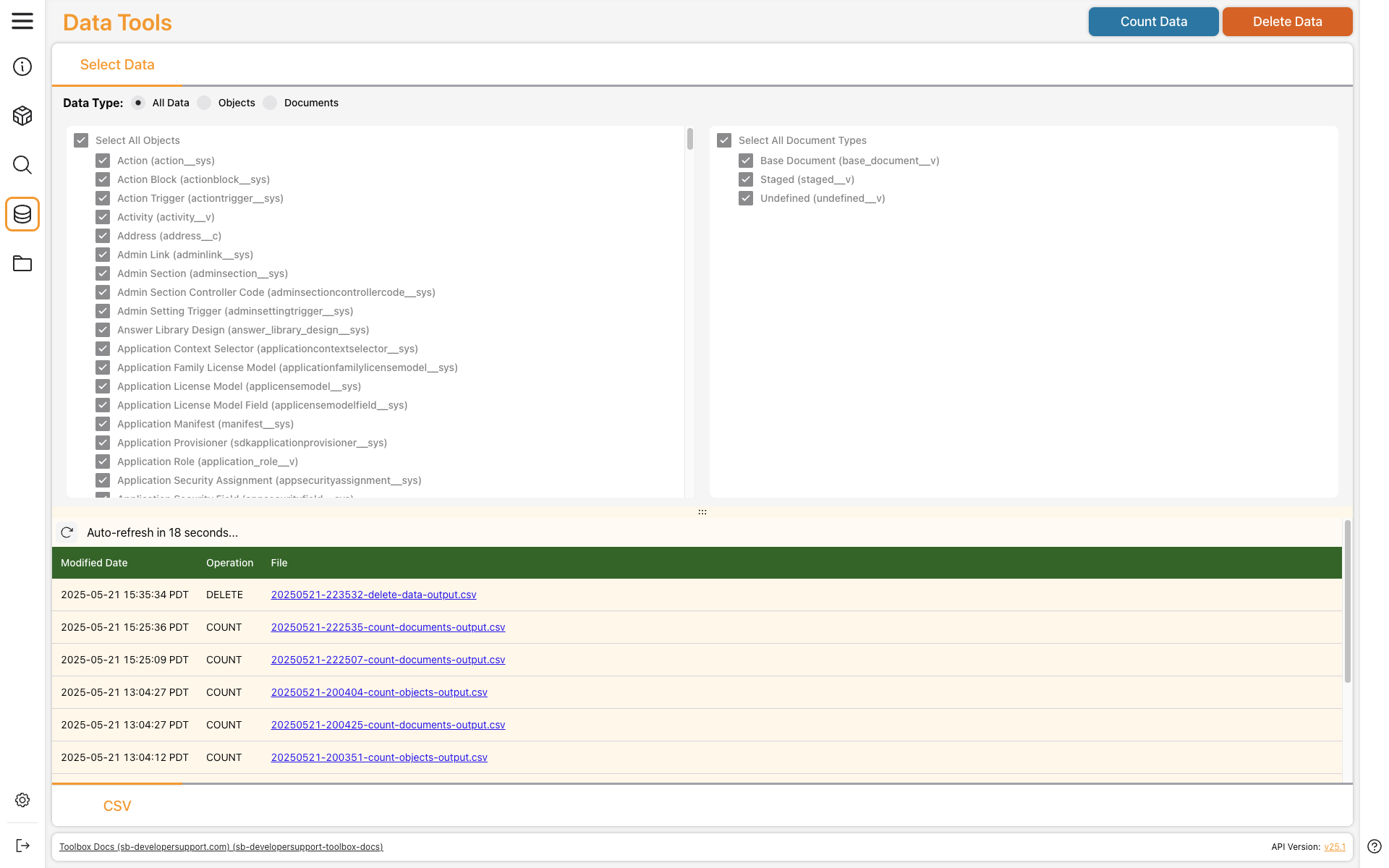
Vault Toolbox includes Data Tools that can count the number of objects, documents, or both in your Vault. You can count all objects and documents, or limit results to certain types of objects or documents. In sandbox Vaults, you can also delete objects and documents.
This guide explains how to use Data Tools to count data and delete data in your Vault.
Counting Data
Section link for Counting DataTo count data in your Vault:
- Select a Data Type to count.
- Optional: To count only specific objects or document types, uncheck Select All Objects or Select All Document Types, then select the objects or document types you wish to include in the count. This option is not available when Data Type is set to All Data.
- Click Count Data. Vault Toolbox displays a Count Data Job Submitted notification. When complete, results are posted to your Vault's file staging, and the count operation appears in the results panel.
- Optional: Click the hyperlink underneath the File column of the results panel to preview results in a dialog and see the path to the results CSV in file staging.
From the File Browser page, you can access the results CSV from your user's VaultToolbox/count folder.
Deleting Data
Section link for Deleting DataTo delete data in your sandbox Vault:
- Select a Data Type to delete.
- Optional: To delete only specific objects or document types, uncheck Select All Objects or Select All Document Types, then select the objects or document types you wish to delete. This option is not available when Data Type is set to All Data.
- Click Delete Data. In the dialog, review the Vault Information and Selections before entering your Vault ID to confirm deletion. Click Delete or click Cancel to return to the Data Tools page. Vault Toolbox displays a Delete Data Job Submitted notification. When complete, results are posted to your Vault's file staging, and the delete operation appears in the results panel.
- Optional: Click the hyperlink underneath the File column of the results panel to preview results in a dialog and see the path to the results CSV in file staging.
From the File Browser page, you can access the results CSV from your user's VaultToolbox/delete folder.