
Deploy Custom Code
In this step, you will:
- Deploy custom code to your Vault
- Learn how to install & use the Vault Java SDK Maven Plugin
to deploy code - Run your deployed code in your Vault
Prerequisite: Install Maven
Section link for Prerequisite: Install MavenIf you're using IntelliJ®, Maven is already bundled with your installation. If you're using another IDE, you may need to manually install Maven.
Deploy Code with the Maven Plugin
Section link for Deploy Code with the Maven Plugin- Navigate to
vsdk-helloworld-getting-started\src\main\resourcesand openplugin_settings_file.json. - Replace
firstname.lastname@example.comwith your Vault user name. - Navigate to
vsdk-helloworld-getting-started\src\main\resourcesand openvapil_settings_file.json. - Update the
vaultUsername,vaultPassword, andvaultDNSvalues with your login information. - From the righthand IntelliJ® sidebar, open the Maven menu and navigate to vsdk-hellowork > Plugins > vaultjavasdk.
- Double click on the
vaultjavasdk:packageMaven goal. This creates the.vpkfile which contains your code changes.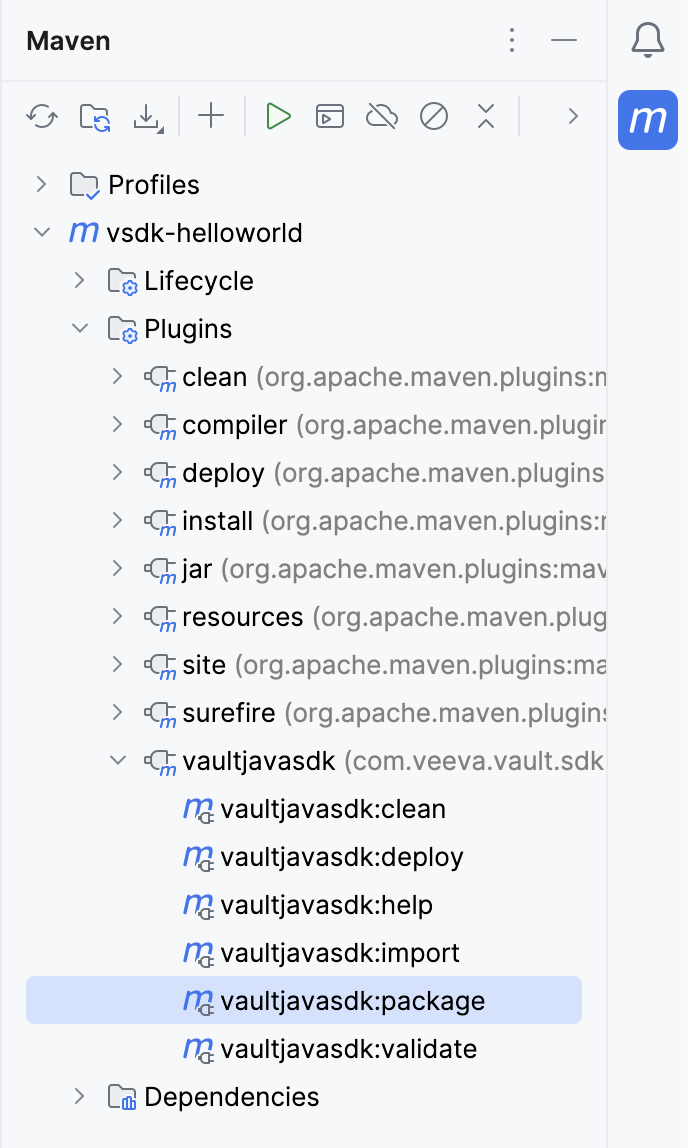
- Verify that this maven goal created a deployment folder at the root directory, with a
vaultpackage.xmlfile and a.vpkfile.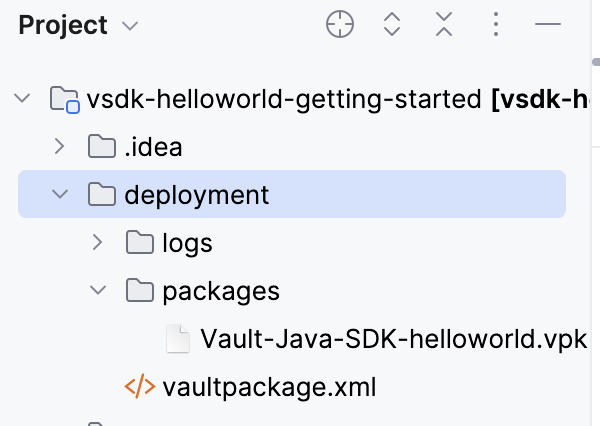
- Run the
vaultjavasdk:deployMaven goal from the Maven sidebar menu to deploy the.vpkto Vault. Deploying may take a minute. You will receive an email when Vault completes the deployment.
Verify Deployment: Run Code
Section link for Verify Deployment: Run CodeNow that we’ve deployed the new trigger code for the AFTER_INSERT event, let’s run it again and make sure that the changes work as expected.
- Log in
to your Vault. - Navigate to Business Admin > Objects > vSDK Hello World.
- Click Create.
- Enter someone else’s name in the Name field.
- Click Save. This time, your trigger fires on the
AFTER_INSERTevent and we’re getting an error message!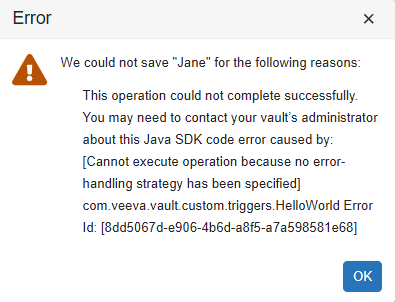
When saving records using Vault Java SDK, you must specify an error handling strategy. Because the AFTER_INSERT event is saving the record, writing code for this event requires an error handling strategy.
You can learn more about error-handling and how to fix this error in the next tutorial: SDK Debugger.
Congratulations, you’ve finished the Getting Started!
To recap what we’ve learned, you now know how to:
- Deploy a VPK to your Vault, which copies configuration from one Vault to another
- Run a deployed record trigger in your Vault, understanding the record event that triggered your trigger
- Set up your development environment to connect to your Vault
- Understand how to write code for different record events
- Deploy custom code changes to your Vault with the Maven Plugin
Next Steps
Section link for Next Steps- Learn how to fix this error in the Vault Java SDK Debugger Tutorial